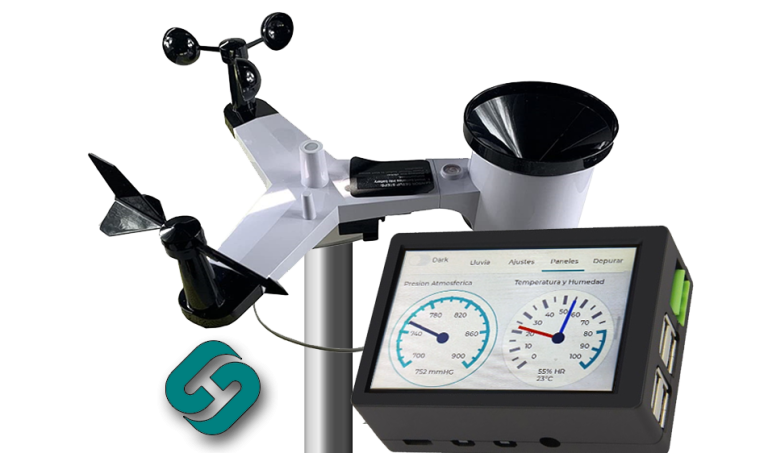

PROFESSIONAL WEATHER STATION
METEOROLOGICAL STATION SH-485
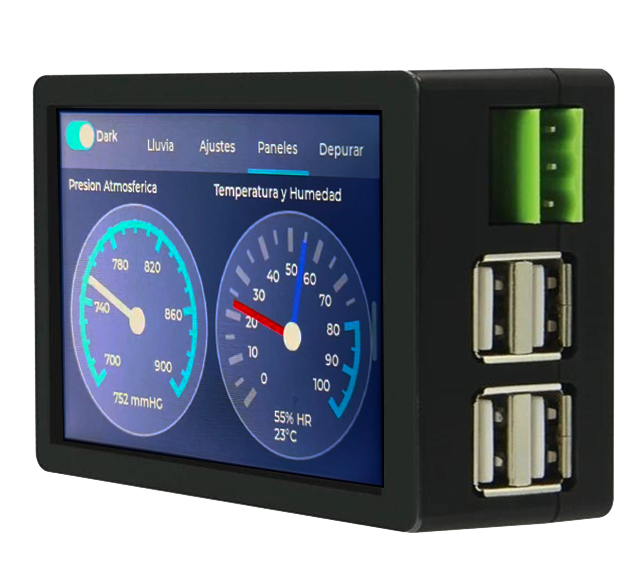
- 5-inch touchscreen
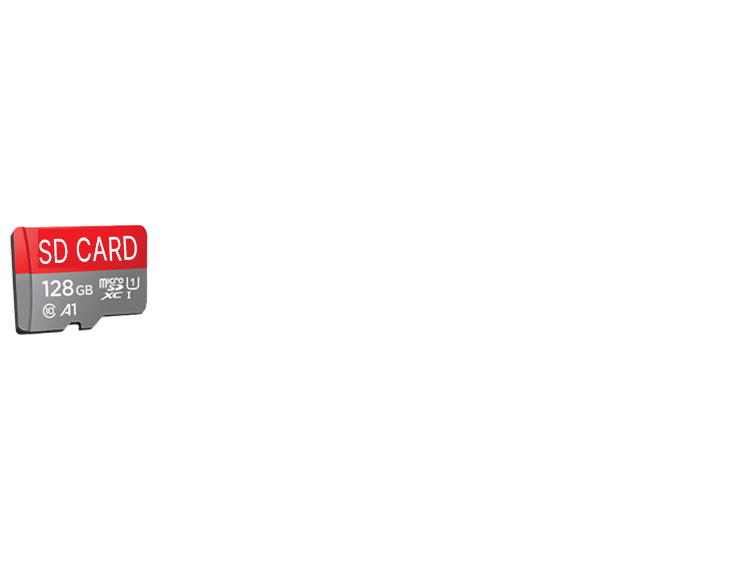
- Datalogger MicroSD +32GB
- Integrated 2.4GHz WiFi
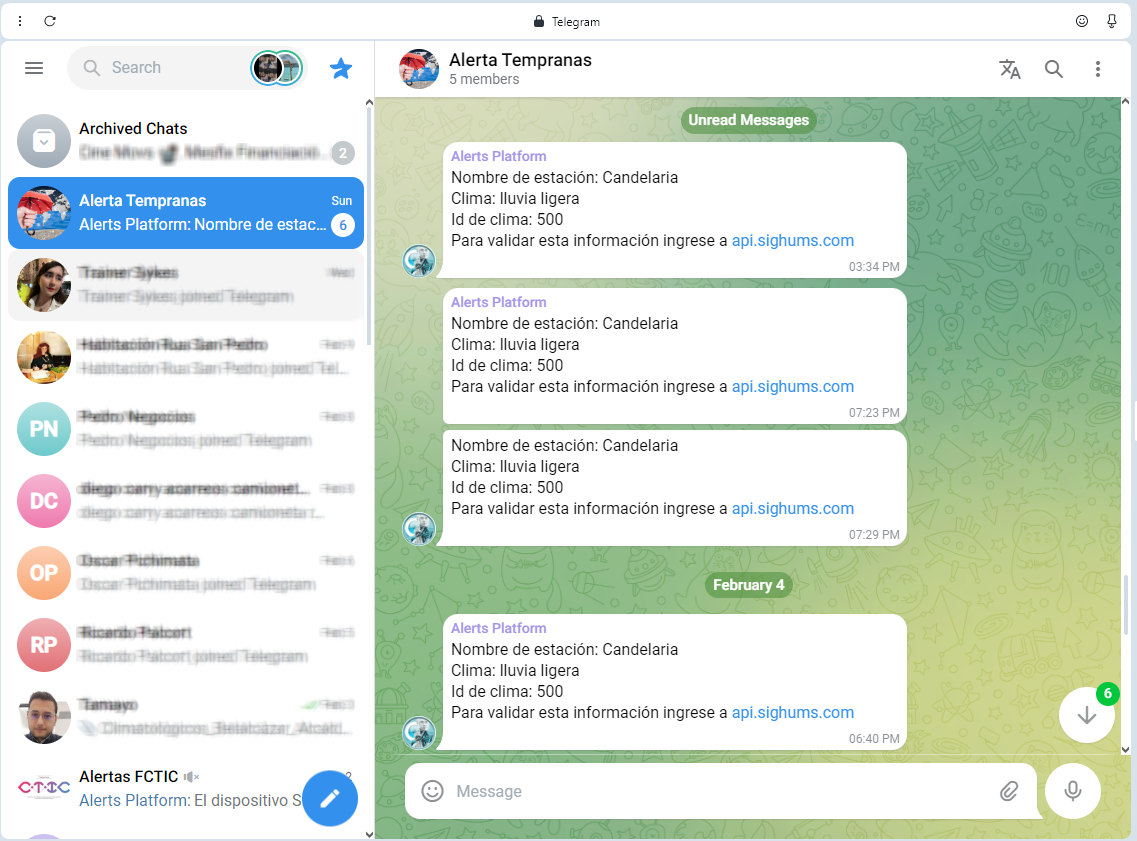
- WhatsApp and Telegram Alerts
- Web Platform Dedicated
- HTTP / JSON Integration
- Integration with Wunderground
- Programmable output 115VAC
Designed to provide a comprehensive and detailed user experience, real-time monitoring of weather conditions, and integration with alert systems for an effective response to weather events.
Information Tabs
Includes dedicated tabs for viewing rain data, the station’s assigned name, as well as the updated date and time through NTP synchronization. Possibility to incorporate company logos and customization options according to customer preferences.
Precipitation Data:
Displaying the precipitation recorded in the last 10 minutes and the past 24 hours, allowing for detailed monitoring of rain events. Also equipped with digital outputs of 115VAC 5A and 5VDC 1A for connecting external devices.
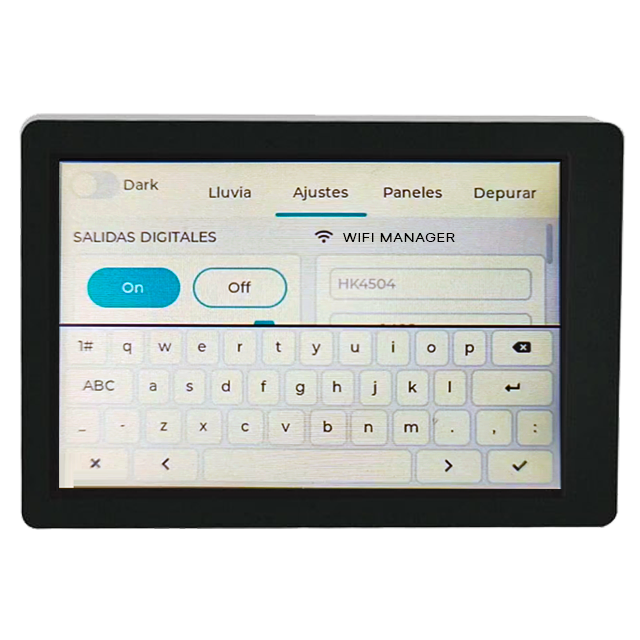
- Digital Outputs: Equipped with digital outputs of 115VAC 5A and 5VDC 1A for connecting external devices.
- Adjustable Screen Brightness: Allows for adjusting the screen brightness for optimal viewing in various lighting conditions.
- Adjustable Screen Brightness: Allows adjusting the screen brightness for optimal viewing in various lighting conditions.
- WiFi Network Management: Includes a WiFi network manager to facilitate the connection and management of wireless networks.
Precision Instrumentation: Includes a professional rain gauge with a precision of 0.1 mm and capabilities to measure atmospheric pressure (700 to 900 mmHg), temperature (-30 to 60°C), relative humidity (10-99%), wind speed and direction, solar radiation (0-2000W/m²), illuminance index, and UV Index.
- Datalogger -
Save data to SD CARD: Supports microSD cards up to 32GB for storing data in CSV format, facilitating data analysis and historical review in programs like Excel, with intervals starting from 16 seconds.
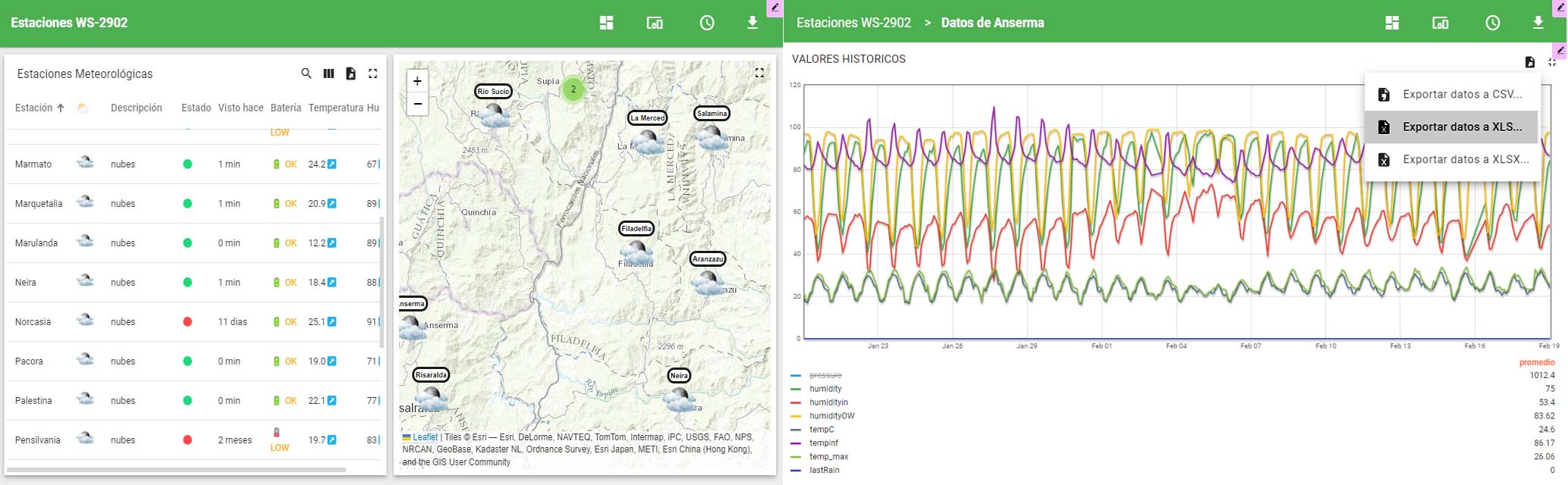
Web Platform: Access to a web platform that provides a wide range of weather variables, including timestamp, barometric pressure, solar radiation, wind speed, temperature, humidity, and more, for a comprehensive analysis of weather conditions.
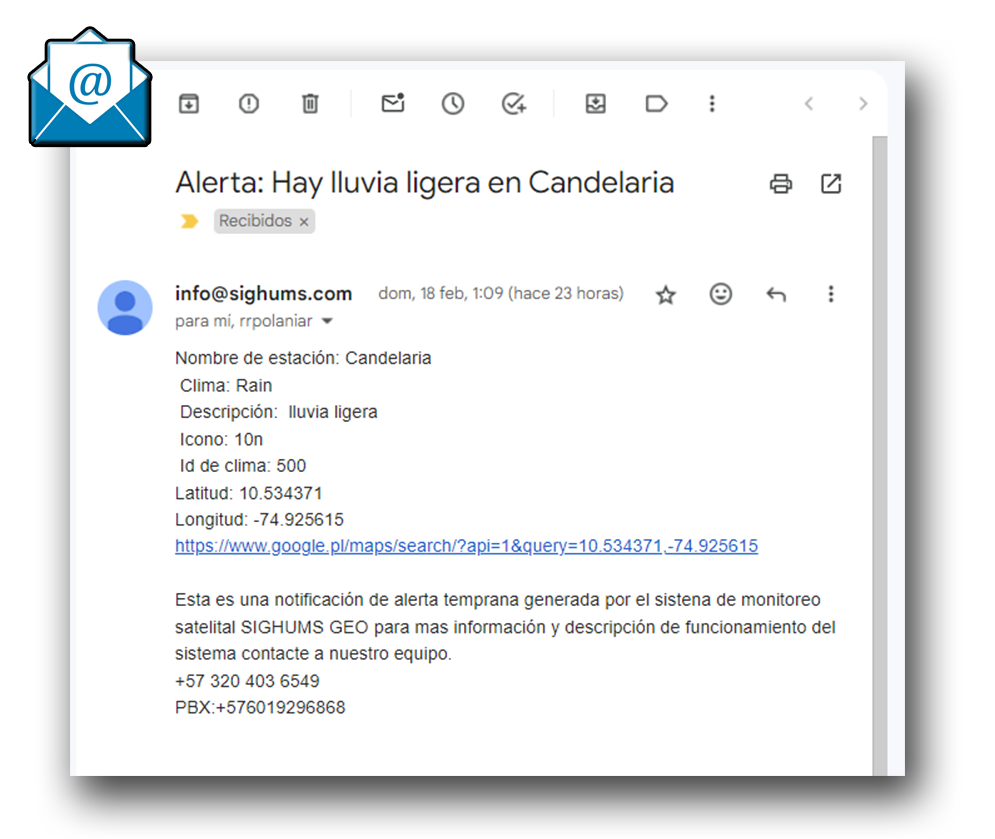
Early Alerts and Satellite Monitoring SIGHUMS GEO: The weather station now includes an advanced early alert feature, thanks to integration with the SIGHUMS GEO satellite monitoring system. This feature allows users to receive immediate notifications about adverse weather conditions, enhancing response capabilities to weather events.

Visualization and Features of Firmware for Weather Stations
Temperature Range: -30°C to 60°C
- Accuracy: ±1°C
- Resolution: 0.1°C
Relative Humidity Range: 10% to 99%
- Accuracy: ±5%
Rainfall Volume Display: 0 to 9999 mm
- Accuracy: ±10%
- Resolution: 0.3 mm (if rainfall volume is < 1000 mm), 1 mm (if rainfall volume is > 1000 mm)
Wind Speed: 0 to 50 m/s (0 to 100 mph)
- Accuracy: ±1 m/s (for wind speeds < 5 m/s), ±10% (for wind speeds > 5 m/s)
Light: 0 to 300k Lux
- Accuracy: ±15%
Atmospheric Pressure: 300 to 1100 hPa (8.85 to 32.5 inHg)
- Accuracy: ±3 hPa (700 to 1100 hPa)
Measurement Interval: 16 seconds
Power Consumption: Connection to 4.5 – 6 VDC
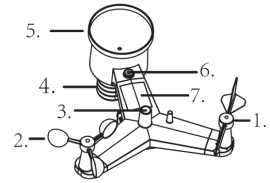
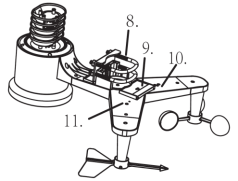
PARTS OF THE STATION

- Veleta (Wind Vane): Wind direction
- Sensor de velocidad del viento (Wind Speed Sensor): Wind Speed.
- Sensor UV/sensor de luz (UV/Light Sensor): Detect UV radiation and measures intensity.
- Sensor termo-higrométrico (Thermo-hygro Sensor): Measures Humidity and Air Temperature.
- Recolector de lluvia (Rain Collector): Measure the rainfall precipitation.
- Nivel de burbuja (Bubble Level): Helps for leveling the weather station when installing.
- Panel solar (Solar Panel): Give energy to the weather station with solar power.
- U-Bolt: To mount the station to a tube or simmilar support.
- Compartimiento de la batería (Battery Compartment): Keeps the battery to feed the station overnight.
- Botón de reinicio (Reset Button): Restart the station to the default values. .
The WH65LP weather station includes the following items and quantities:
Cantidad Ítem 1 Outdoor sensor (Thermo-hygrometer / Rain gauge / Wind speed sensor / Transmitter) 1 Wind Vane 1 U-bolt with mounting clamps 1 Ziplock bag with one 10mm single-head wrench 1 10-meter extension cable (4 wires)
STEP-BY-STEP GUIDE FOR PROPER INSTALLATION
Before final installation: Before placing and installing all the components of the weather station at the final destination, configure the station with all parts nearby to test its proper functioning.
Installation of the U-bolts: U-bolts are used to mount the sensor package on a pole. This requires installing a metal plate included to receive the ends of the U-bolts. The metal plate, which is inserted into a slot on the bottom of the unit (opposite side of the solar panel), has four holes for the U-bolts. Make sure the plate is correctly inserted, and the U-bolts pass through the corresponding holes.
Installation of the wind vane: Place the wind vane on the shaft at the top of the sensor until it no longer moves. Tighten the adjustment screw with a Philips screwdriver (size PH0) until the wind vane cannot be removed from the shaft. Make sure the wind vane spins freely.
Adjusting the wind direction: Ensure that the directions marked on the wind direction sensor (N, E, S, W) match your actual location to avoid permanent errors in wind direction measurement.
Installation of the wind speed sensor: Insert the wind speed sensor into the shaft as shown in the corresponding figure in the manual and tighten the adjustment screw to ensure the sensor can rotate freely.
Installation of the rain gauge: Keep the indication mark in a straight line with respect to your mounting position to ensure accurate measurements.
Battery installation: Insert 2 AA batteries into the battery compartment.
Final assembly: You can attach a tube to a permanent structure and then attach the sensor package to this tube using the U-bolts. Make sure the U-bolts are loose enough to allow placement of the sensor package, but then tighten the nuts by hand evenly.
Alignment: You will need to align the sensor package in the correct direction by rotating it on the mounting tube as needed. Locate the arrow labeled “North” at the top of the sensor package, next to the light sensor, and rotate the entire package until this arrow points directly north. Using a compass can be helpful for this task.
Securing the station: Once in the correct orientation, tighten the screws slightly more (using a wrench) to prevent further rotation. Use the bubble level next to the rain sensor to ensure the sensor array is completely level, as if it is not level, the rain gauge, UV sensors, and solar radiation sensors will not measure correctly.
Connecting to the computer: Connect the USB cable (4-wire cable) to the computer. The colors of the cables indicate their functions: Black for GND, Red for USB A (D+), Yellow for USB B (D-), and Green for VDD (4.5V -6V).